Updated June 22, 2026
In order to get the most out of your 3D printer, you need to align the material you are using with the requirements of your application. This is especially true when creating high-performance parts such as those enabled by carbon fiber. In this post, we will be zooming in on the practical applications of 3D printed carbon fiber composites across multiple categories in order to explore how this unique material is driving efficiency and precision in everything from welding to robotic automation.
Carbon fiber composite 3D printing in action
The following are four example applications that are well served by the unique properties that carbon fiber offers:
Enhancing Welding Processes with Custom Fixtures
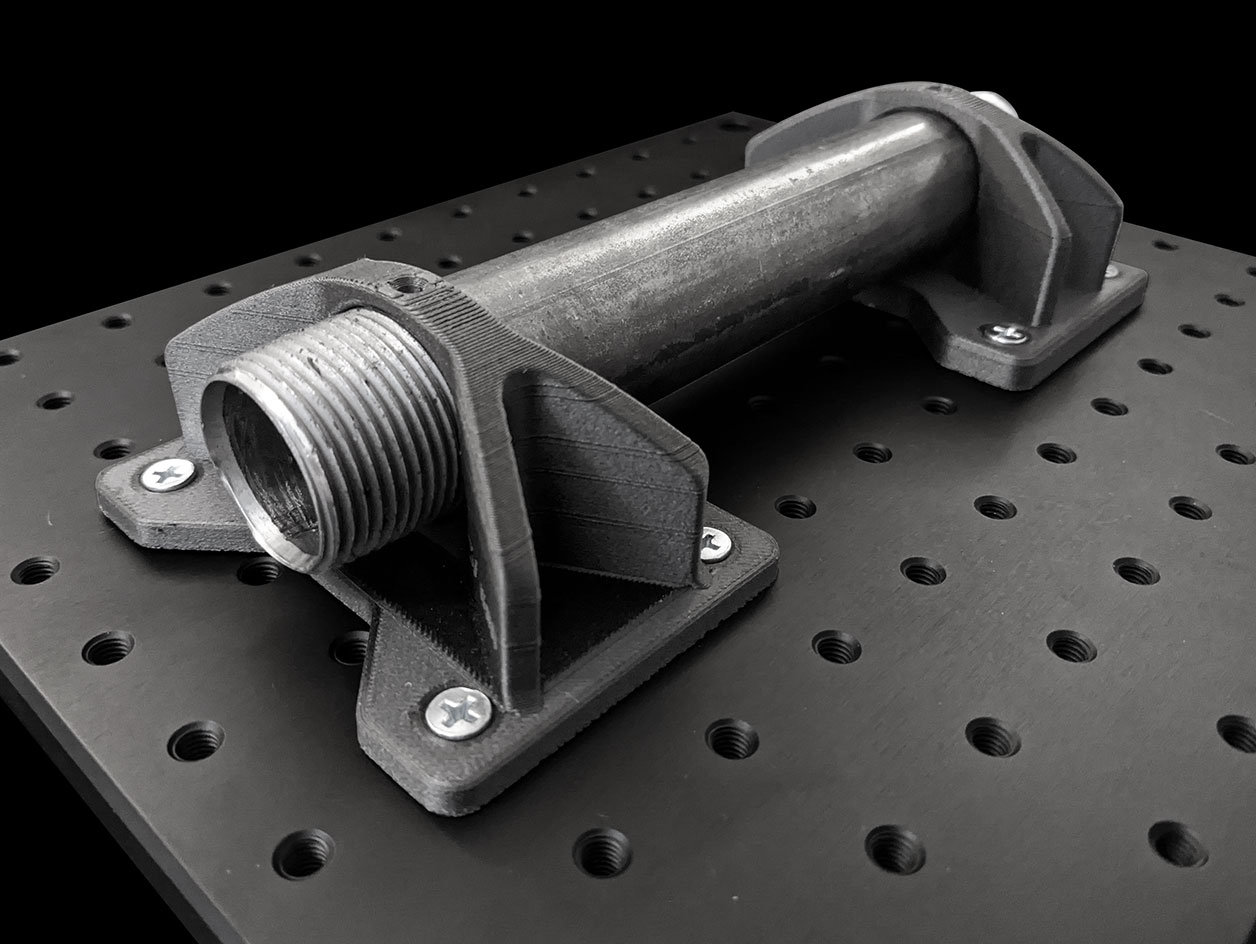
In the realm of welding, precision and accuracy are paramount. Custom fixtures, specifically designed to hold the pieces together before the welding process, play a crucial role. These fixtures need to be sturdy and heat-resistant, given the high temperatures involved in welding.
One of the advantages of 3D printing with carbon fiber is that it’s possible to create custom fixtures that meet these stringent requirements. The high heat deflection temperature and rigidity of the new UltiMaker PET CF after annealing, in particular, makes it perfect for the task. The ability to design these fixtures in CAD and print them directly reduces labor time and ensures a tight tolerance fit, improving the overall efficiency and quality of the welding process.
Bending Dies for Versatile Metal Shaping
Bending dies are crucial tools used with a hydraulic press to shape and form metal parts. Depending on the job specifics or facility requirements, these parts may need frequent customization. Traditional manufacturing methods can be time-consuming and costly for such instances.
With 3D printing technology, you can create custom bending dies quickly and efficiently. Carbon fiber composites stand out as the material of choice here, thanks to their exceptional rigidity. This means the part can hold its form under more pressure than many other polymers, ensuring the die maintains the intended shape and produces accurate, high-quality metal parts.
Robotic Automation with End-of-arm Tooling
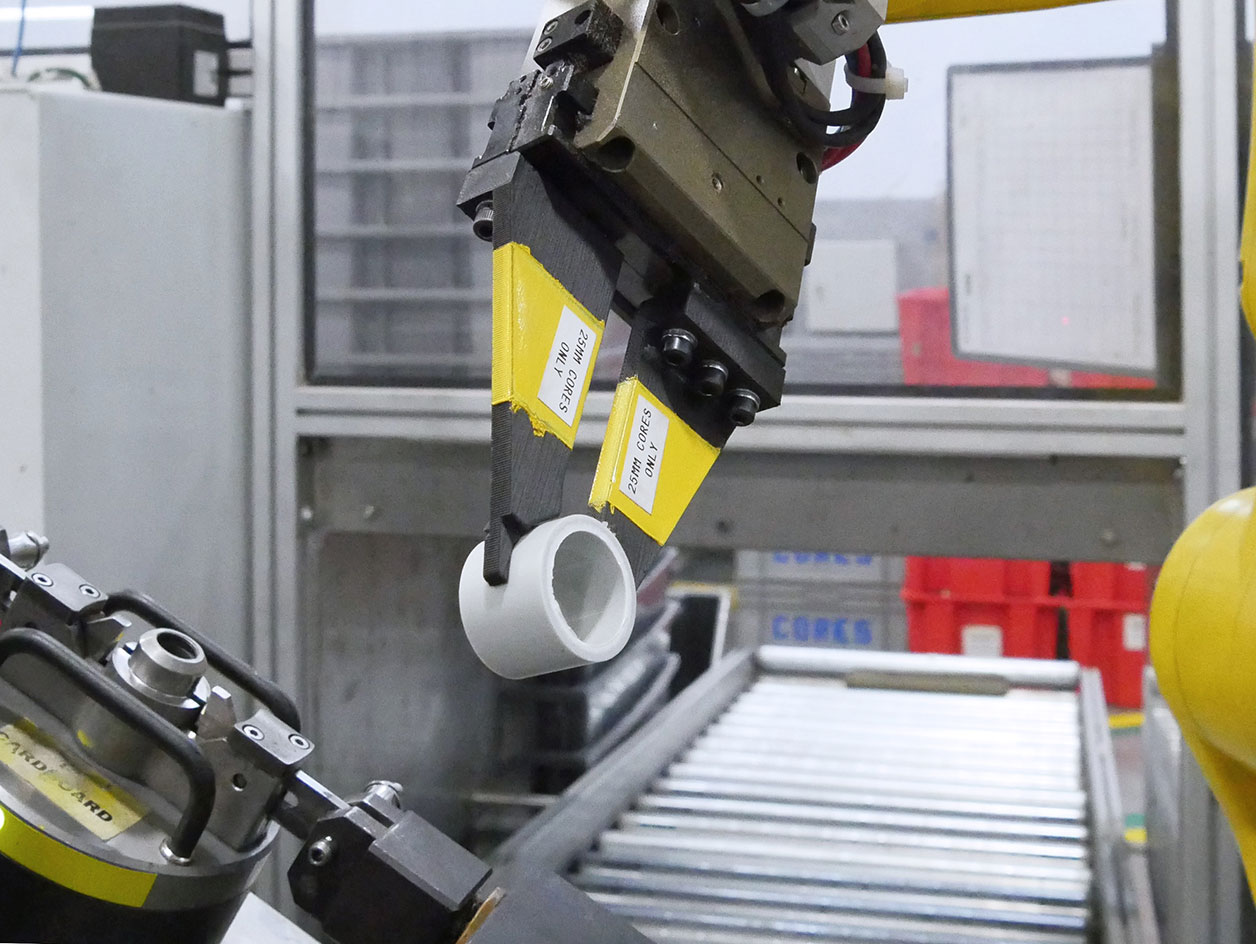
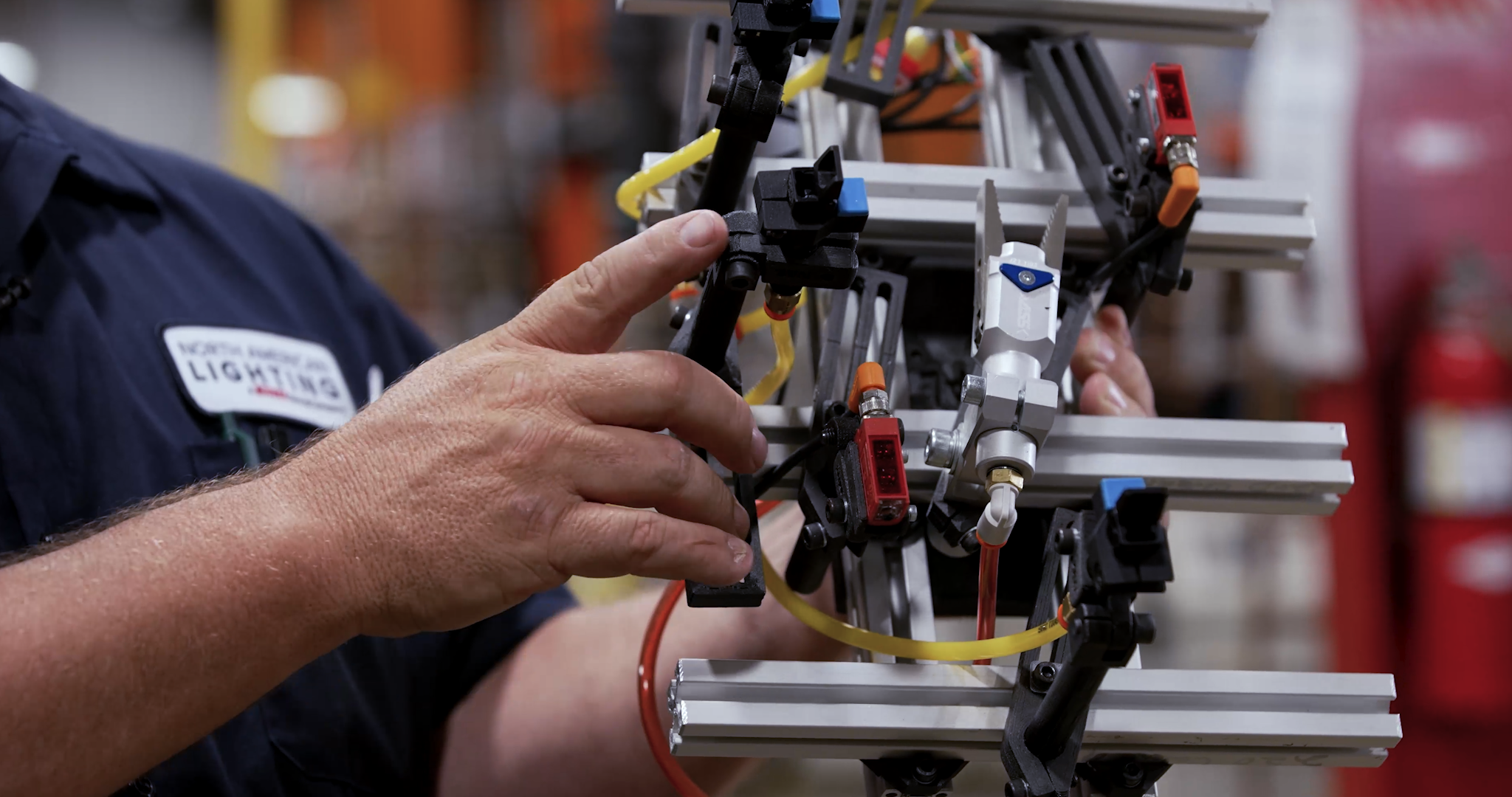
In the field of manufacturing automation, robotic arms are invaluable tools for performing repetitive tasks with exceptional precision. The tools at the end of these arms, known as end effectors, can vary greatly depending on the specific application, from gripping devices to welding torches.
The ability to 3D print these end effectors with carbon fiber composites presents a game-changing opportunity. The lightweight nature of carbon fiber composite reduces the overall weight of the robotic arm, increasing its payload capacity, speed, and maneuverability. This not only enhances productivity but also extends the lifespan of the robotic arm by reducing wear and tear.
Ensuring Precision with Alignment Tools
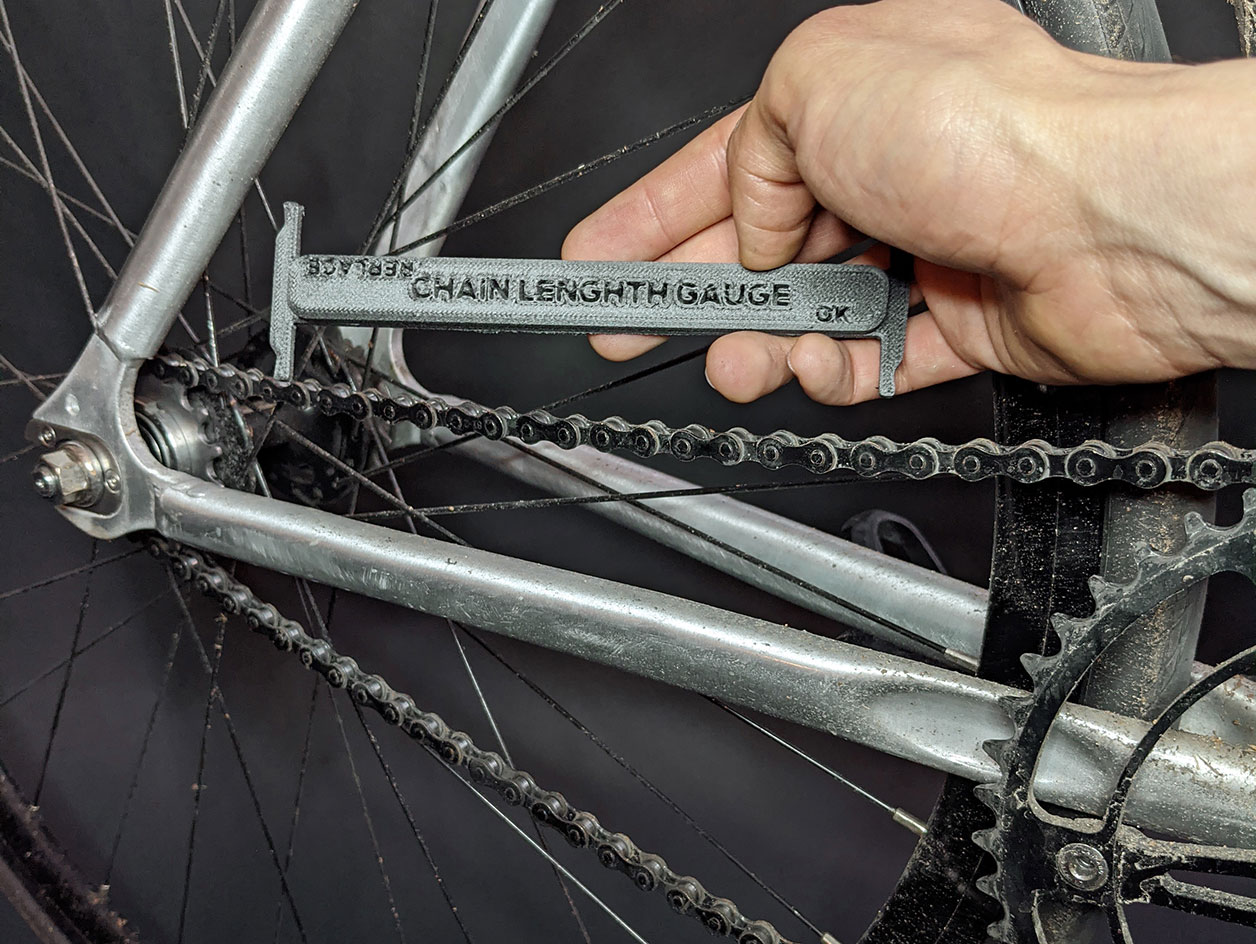
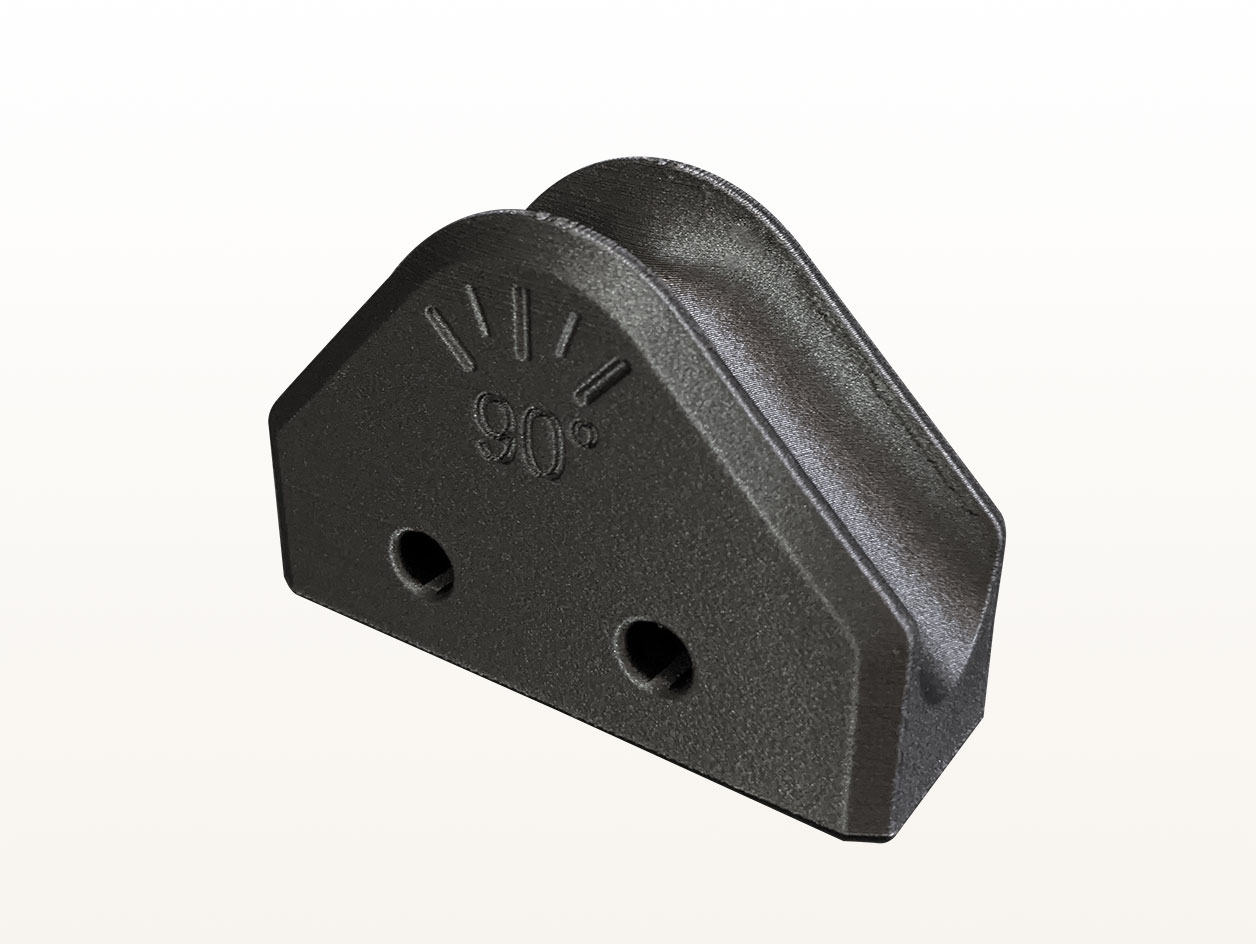
Alignment tools or gauges are used in manufacturing and assembly processes for quick and precise measurements. These tools need to be rigid to ensure they don’t flex or compress during measurements, which could lead to inaccuracies and inconsistent assemblies.
Carbon fiber composites, with their inherent rigidity, make an excellent choice for these tools. The ability to 3D print these tools means you can customize them for any specific measurement requirement, ensuring your manufacturing process is as accurate and efficient as possible.