






What you'll learn
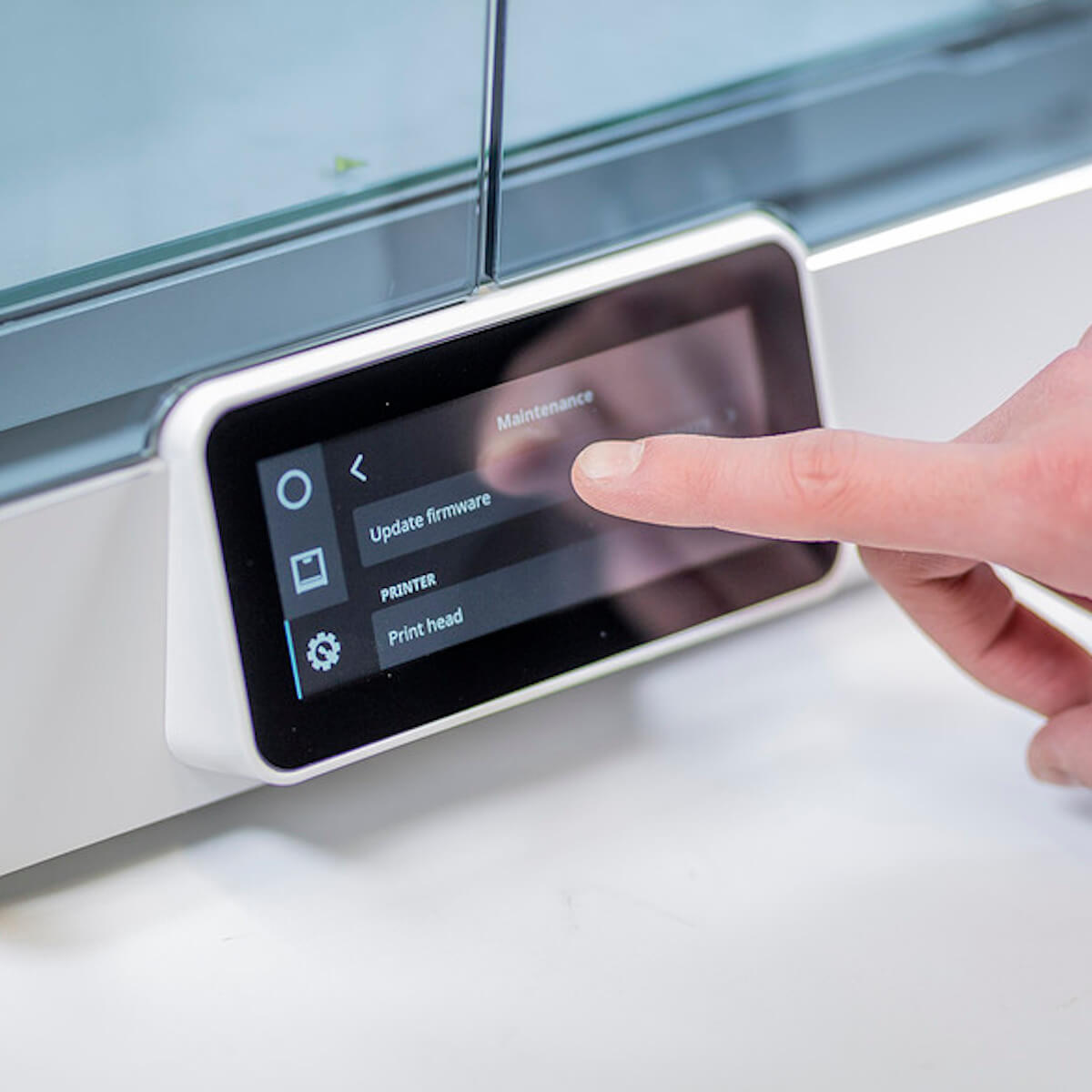
In this course you'll learn about the benefits of keeping printer firmware up to date, the process of updating printer firmware via Wi-Fi, as well as updating printer firmware via USB.

Unlimited application potential.
Specialized for engineering applications.
High-performance and certified materials
Over 300 materials to choose from.
From polymers to composites to metals.

Maintain and maximize security by ensuring you keep your 3D printers up to date with the latest firmware. This course is available now to customers with an Ultimaker Essentials subscription.

In this course you'll learn about the benefits of keeping printer firmware up to date, the process of updating printer firmware via Wi-Fi, as well as updating printer firmware via USB.
UltiMaker uses functional, analytical and tracking cookies. Tracking cookies enhance your experience on our website and may also collect your personal data outside of Ultimaker websites. If you agree with the use of tracking cookies, click “Accept all”. You can withdraw your consent at any time. If you do not consent with the use of tracking cookies, click “Manage”. You can find more information about cookies on our Privacy and Cookie Policy page.
To monitor the performance of our site and to enhance your browsing experience.
To understand user behavior in order to provide you with a more relevant browsing experience or personalize the content on our site.
To personalized and measure the effectiveness of advertising on our site and other websites.