Cura Cloud

The Power of Cura, Now in Your Browser

Prepare, slice, and print from anywhere with the new cloud-based interface for UltiMaker Digital Factory.

Download for free

One platform to manage, prepare and monitor all your 3D Printers

Cloud slicer
Remote monitoring and printing
Print approval
History and print queue
Print job reports
Scheduled maintenance

Seamless Project Management

Project-level controls at your fingertips.

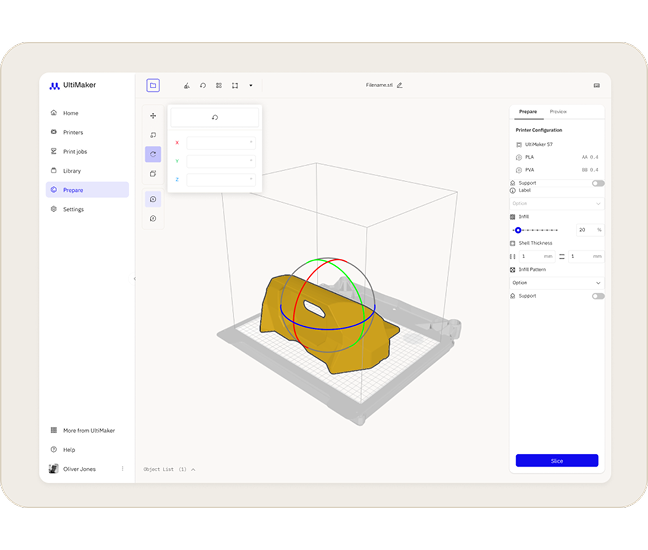
  • Add Models: Easily import 3D models from your computer or directly from your Digital Factory library.

  • Quick Actions: Use one-click shortcuts to clear the build plate, group models, reset transformations, or automatically arrange parts to maximize space.

Powerful Preparation Tools

Project-level controls at your fingertips.

  • Move, Scale, & Rotate: Precisely position your parts.

     
  • Multiply: Quickly create copies of your models for batch production.

     
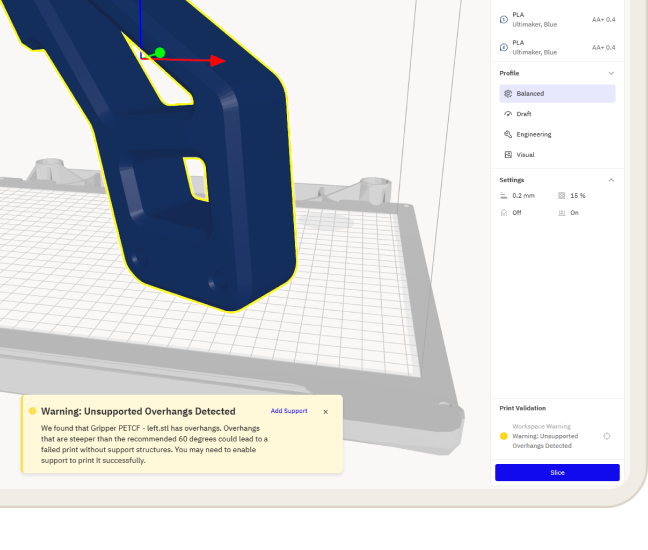
  • Material Selection: Assign specific materials to different parts for dual-extrusion prints.

Direct-to-Print Workflow

Once your file is ready, the Action Panel gives you flexible output options:

  • Move, Scale, & Rotate: Precisely position your parts.

  • Multiply: Quickly create copies of your models for batch production.

  • Material Selection: Assign specific materials to different parts for dual-extrusion prints.

Direct-to-Production

Once your file is ready, the Action Panel gives you flexible output options:

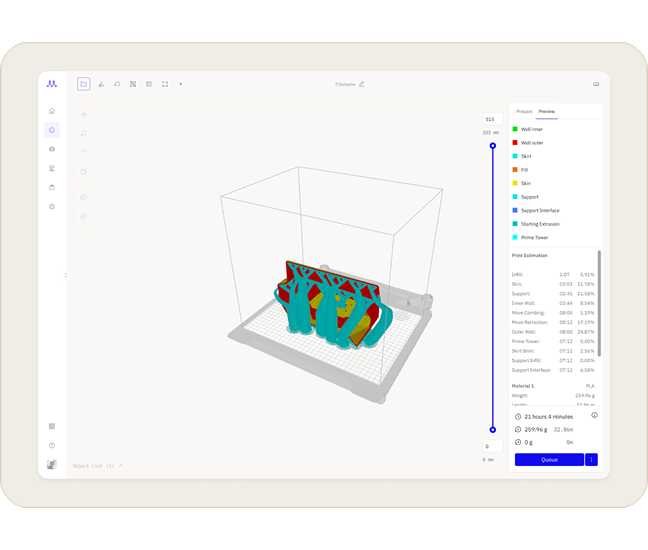
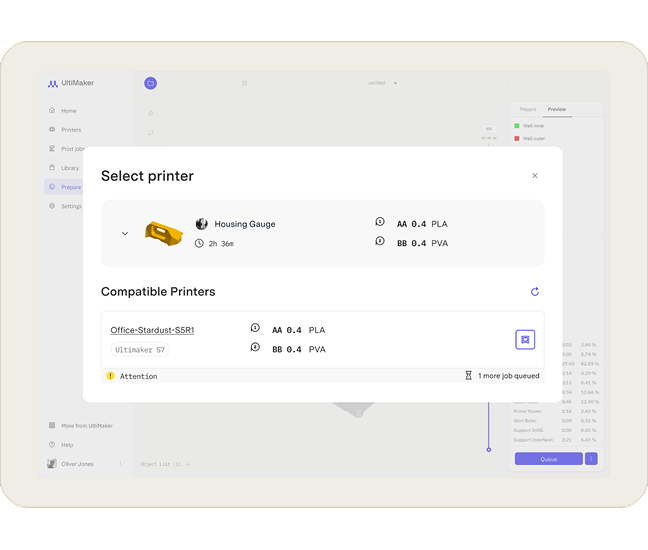
Cura Cloud creates a direct bridge between your prepared file and your hardware. Once satisfied with the preview, you can add the job directly to a networked printer’s queue via the Action Panel. Alternatively, you can save the print-ready file back to your library or download it for local transfer.

  • Move, Scale, & Rotate: Precisely position your parts.

  • Multiply: Quickly create copies of your models for batch production.

  • Material Selection: Assign specific materials to different parts for dual-extrusion prints.